Managing Intervention Add-Ons
Intervention Add-Ons can be added to any intervention within a workbank.
Add-ons are available where an additional cost is required to complete an intervention (i.e due to hazardous material, additional access that may be required or vegetation clearance)
LX Add-On costs are added via Cost Build-Up
Viewing Intervention Add-Ons
Calendar View
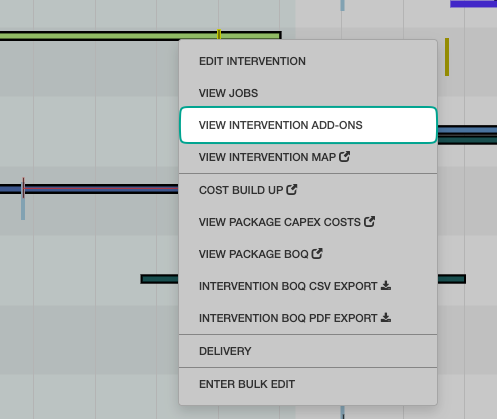
To view Intervention Add-Ons, select an intervention from any calendar view and choose View Intervention Add-Ons
The Intervention Add-Ons modal will be displayed, highlighting which add-ons have been enabled on the selected intervention.
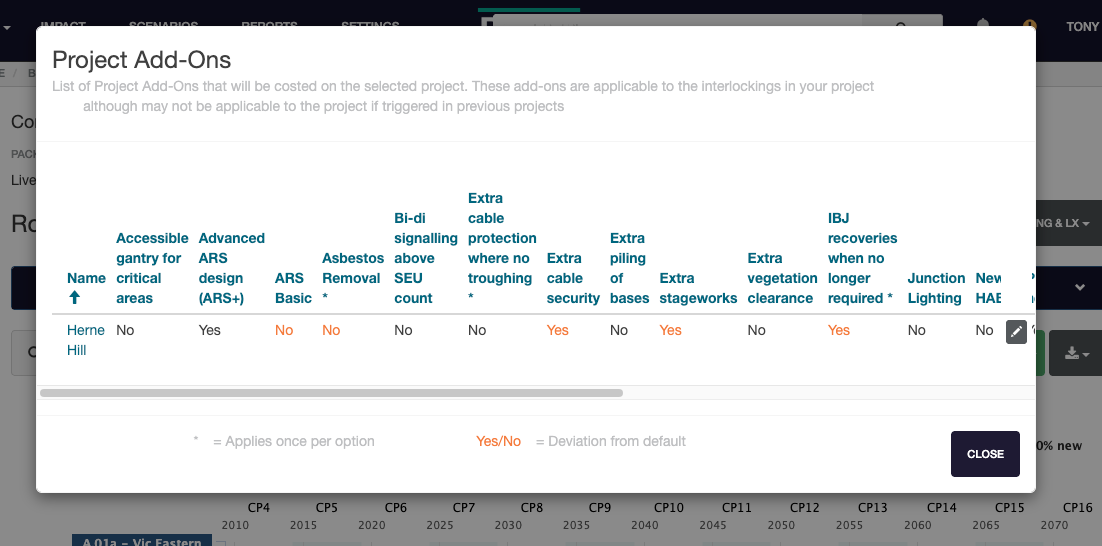
Orange items are highlighted as they are a deviation from the assets default intervention add-ons.
Table View
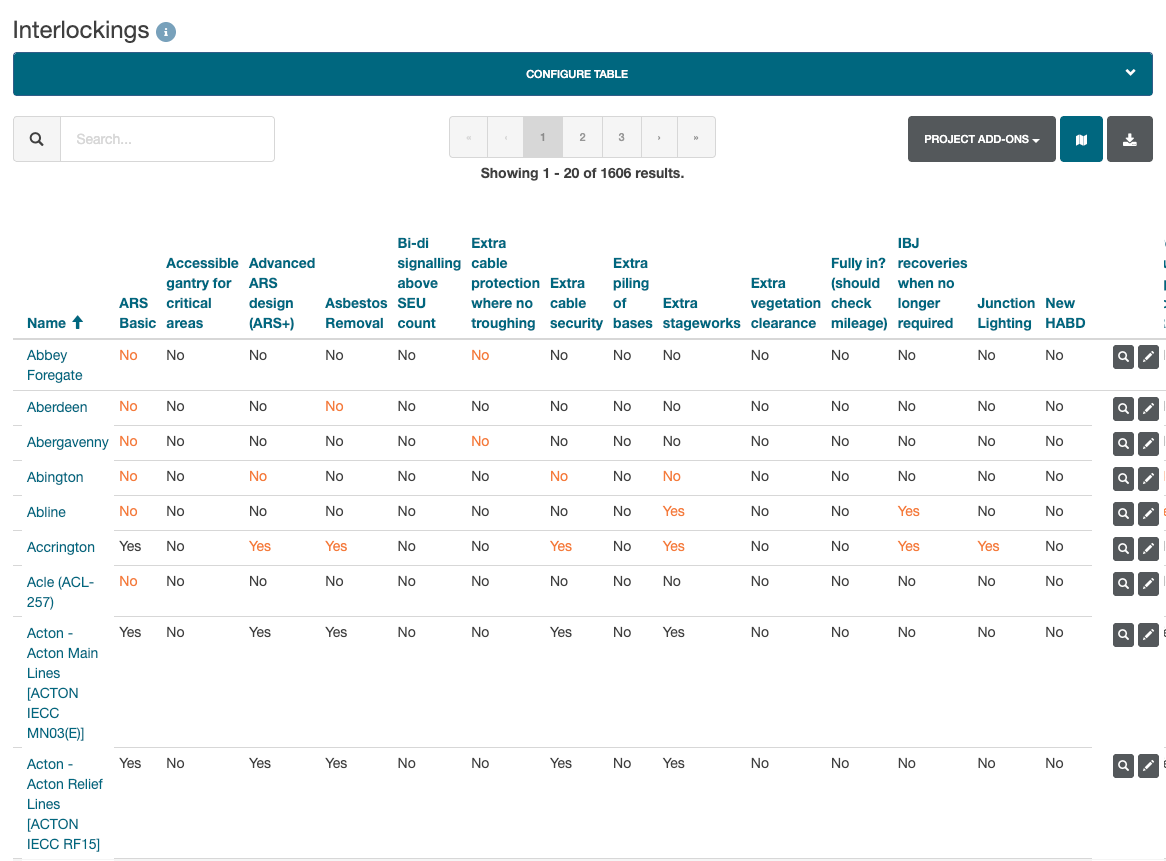
Users should use the table view if they are wanting to make bulk edits to project add-ons. This view shows comparisons between projects and allows changes to be made quickly.
From the header, select Data followed by Assets.
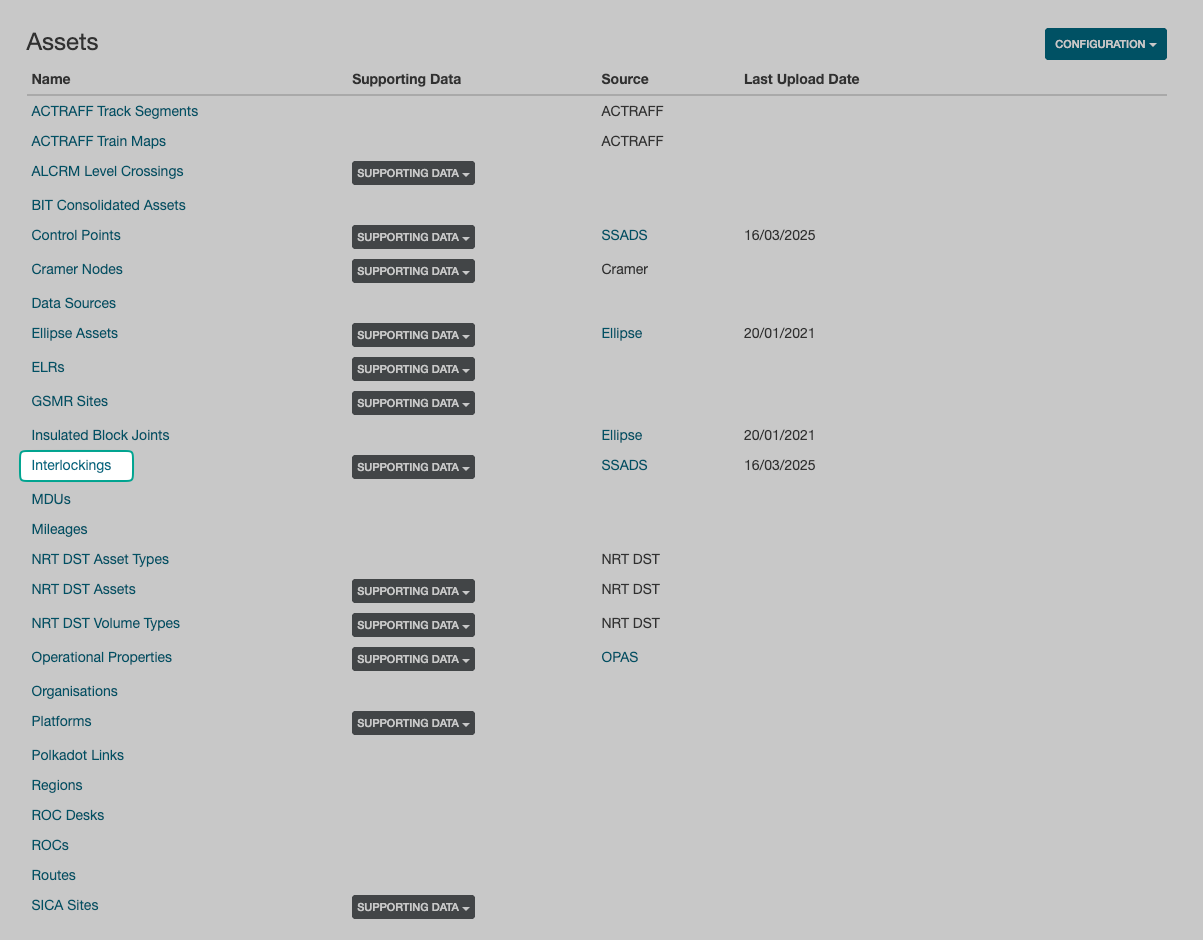
Change the list from Default to Project Add-Ons.
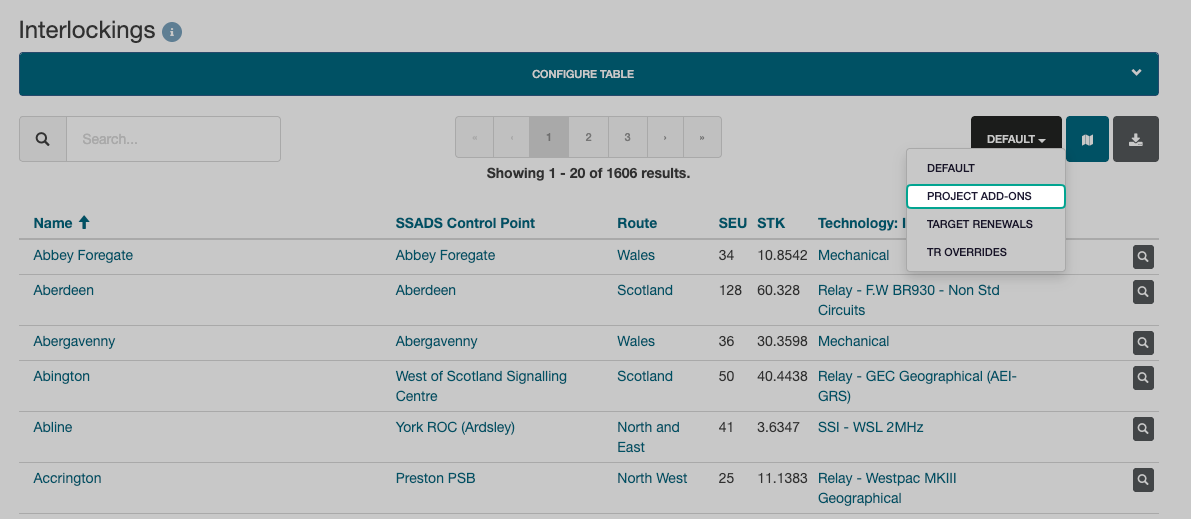
A table view of all interlockings will be shown, displaying which Project Add-Ons have been edited
Editing Add-Ons
Add-ons can be edited from either the Project Add-Ons modal, or the Project Add-Ons Table by selecting the edit icon.
A toggle list of available options is now displayed.
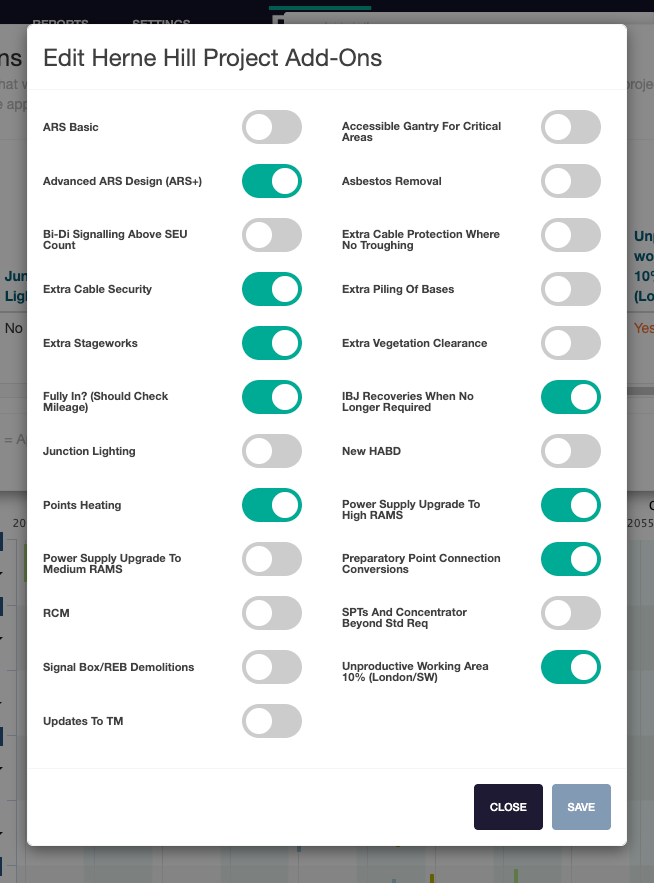
Toggle any options that require editing, then click the Save button.