CP Planning Asset View
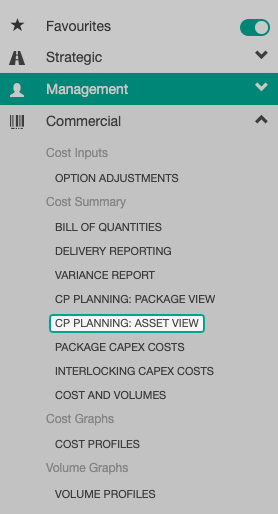
To access the CP Planning Asset View page, select Commercial then CP Planning Asset View from the sidebar of any workbank.
The CP Planning Asset View dashboard will then be displayed.
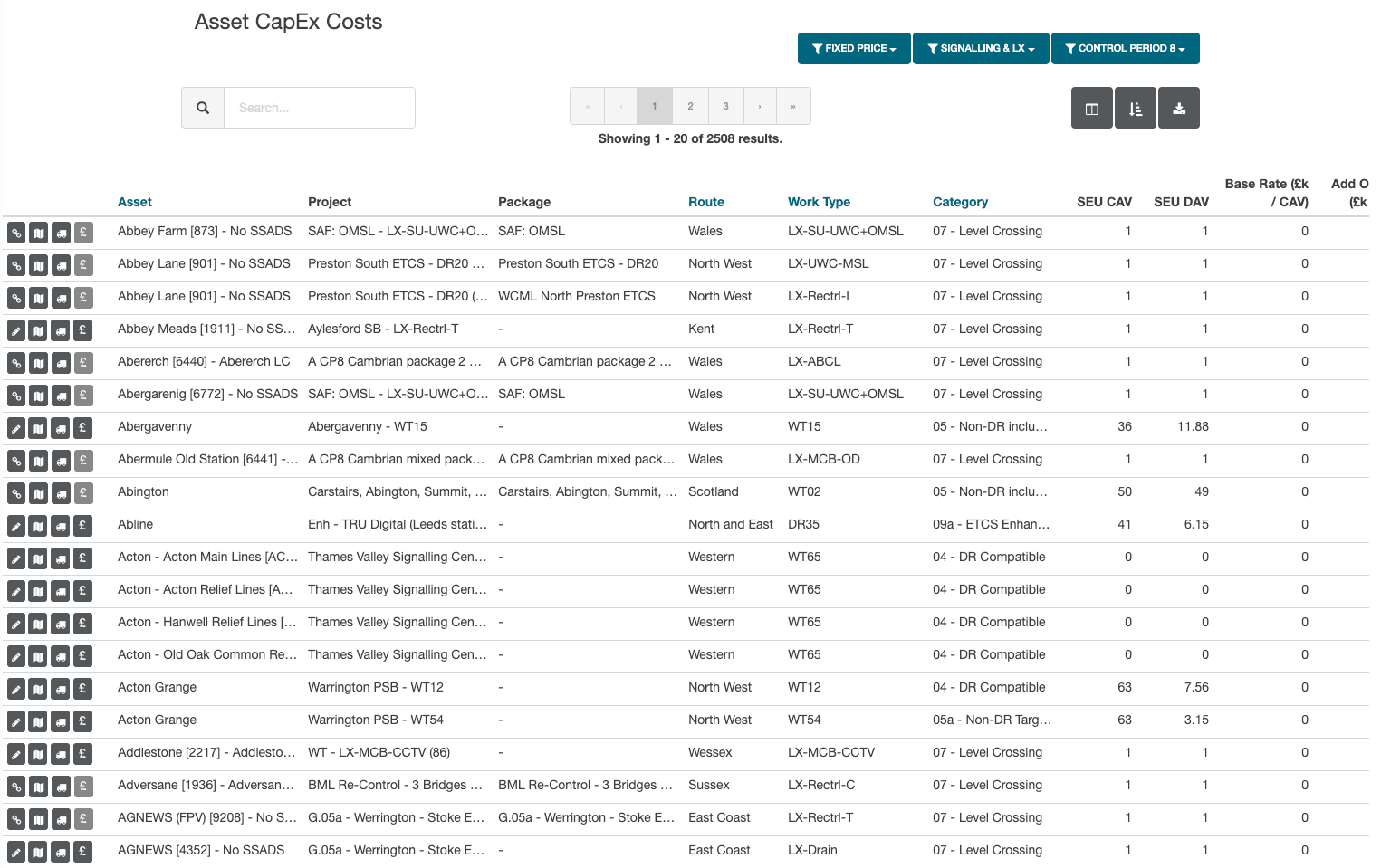
Each record has a row of icons which allows the user to:
- View linked interventions
- View interventions map
- View delivery information
- Override direct costs (only if costs have been submitted for that intervention)
Filters
Filters are available in the page header.
This allows the data to be switched between Fixed and Cash price, along with the asset type displayed. The Control Period data can also be defined using this menu.
Exports
There are three exports available within CP Planning - Asset View.
All exports can be accessed via the export icon.
| Export Name | Details |
|---|---|
| Current View | Exports the current view with any filters applied. |
| Current View (All Columns) | This includes all optional columns. |
| Current View (All Years) | This export includes all years available for the workbank. |
Automatic Interventions
Auto marks interventions created by Rail BI through an automated workbank process. It is used to distinguish automated interventions from manually created interventions in the interface and exports.
