Adding Estimates
How To Add Estimates
Estimates are cost and volume forecasts for interventions in the Business Plan, subject to change log and approval processes.
For the complete workflow for moving an intervention from a unit-rate forecast into delivery planning, see Delivery planning.
Estimates can be added from two different locations within the workbank.
Management Calendar
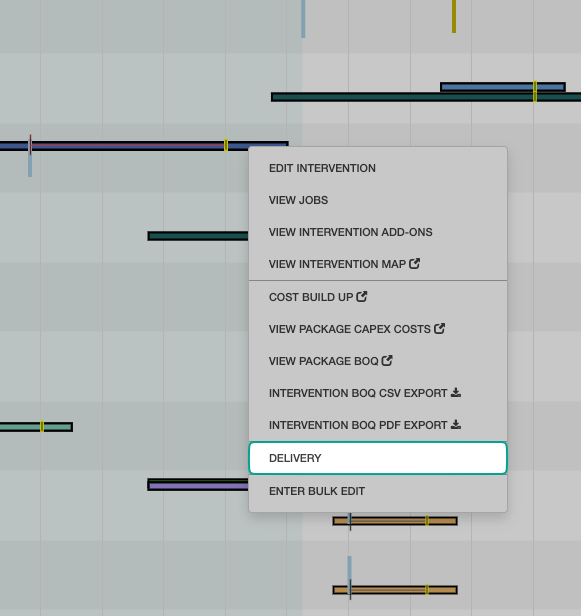
By selecting Management followed by Calendar from the sidebar, the rollout calendar is displayed.
Click on any intervention along the timeline, then select delivery.
Commercial Delivery Reporting
Estimates can also be entered from the Delivery Reporting menu by selecting Commercial followed by Delivery Reporting from the sidebar.
Select the "delivery" icon to display the estimates module.
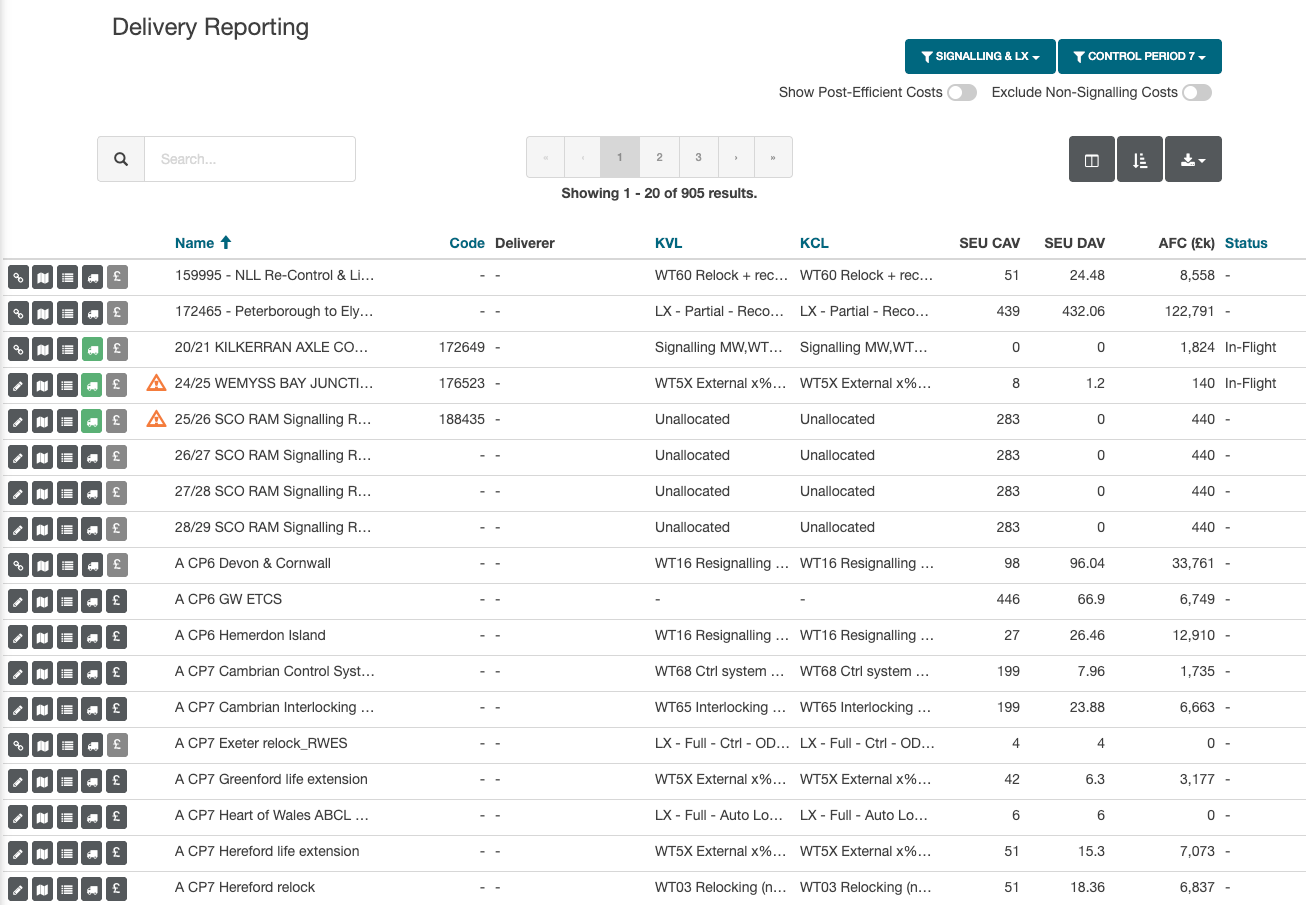
If an intervention has a warning icon, this highlights a large cost variance.
If an intervention has a green delivery icon, this signifies that an OP project is linked.
Adding Estimate Information
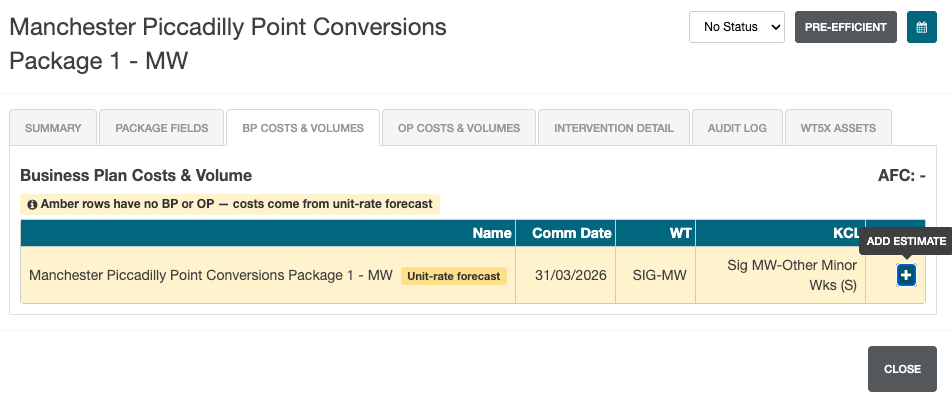
Once the estimates module is displayed, select the BP Costs & Volumes tab then click Add Estimate.
After setting the Proposal and Approval information (along with dates and any required notes), the estimate information can be added.
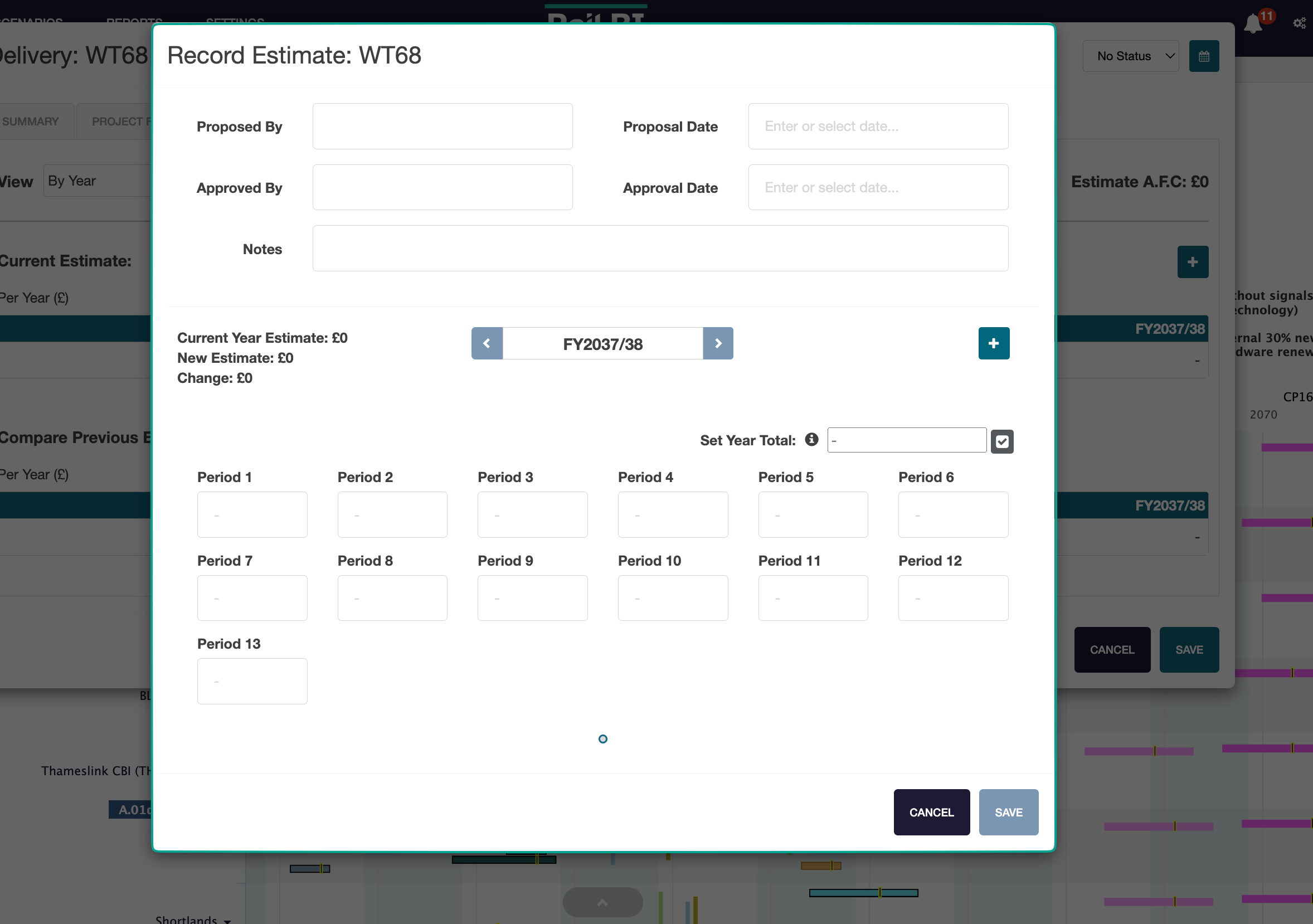
Users can manually enter the estimate cost per period by adding the required value to the period field.
If the estimate is to be broken down evenly between all 13 periods within the financial year, leave By Year selected and enter the total in the annual field.
The total is automatically split between the 13 periods. To enter individual period values, select By Period from the View menu.
When creating an estimate for an intervention that is using a unit-rate forecast, select Populate from unit rate forecast in the Costs section. Review the populated annual values and adjust them as required before saving.
Adding volume information
The Volumes section displays the calculated CAV and DAV for the intervention.
By default, the estimate uses the calculated CAV. To enter a different delivery volume, select Enter claimed CAV and enter the value in Claimed CAV. Select Use calculated CAV to remove the override and return to the calculated value.
The volume claimed-in date is taken from the intervention start date. Calculated DAV is displayed for reference and is not entered manually.
Once all information has been entered, click Save to save and close the estimate form.
All estimated costs are entered in £1 denominations.