Completing Assessments
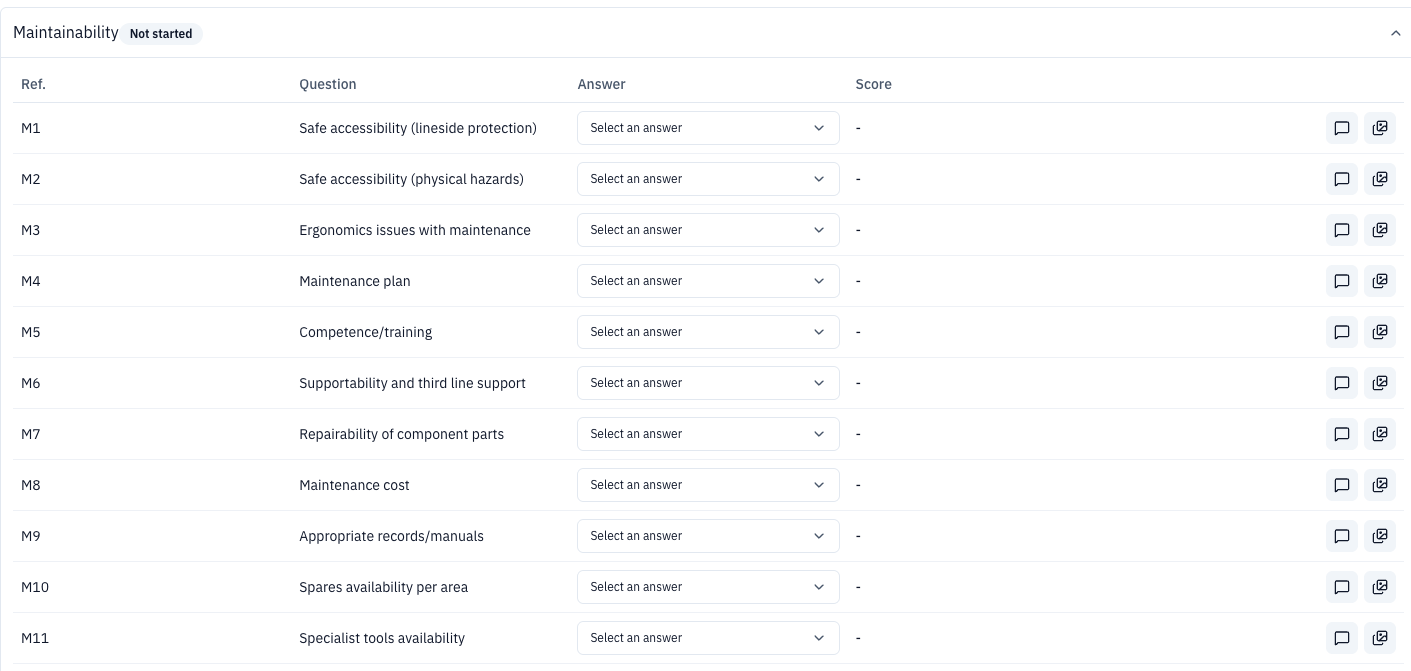
The question view is headed TICA FULL followed by the element type and asset. Each question has an answer control, a score, and controls for comments and files or images.
Before answering the questions, review the optional Check Asset Details panel. It can be used to confirm the manufacturer, model, and quantity when the register is incorrect.
Use Question Feedback to add feedback about the question set. If another asset of the same type has already been answered, use Copy answers from asset. Answers can also be applied to the remaining assets of that type when the option is available.
Inspection sections
A full TICA inspection contains 26 questions in five sections:
- Maintainability – M1 to M11
- Operability – O1 to O4
- Reliability – R1 to R3
- Condition – C1 to C4
- Policy – P1 to P4
Expand each section to answer its questions. Each section displays its own completion status.
For policy questions, the answer options include whether the system has no applicable standard, is fully compliant, is non-compliant without retrospective application, has a derogation and action plan, or requires renewal because of the standard.