Map View
Upcoming Assessments Map Data
When accessing the Upcoming Assessments list view, it is possible to view an overview of all currently displayed records.
How To Access Map View
Select Map in the page header to open the map for the currently displayed records (based on the current filtering or search options).
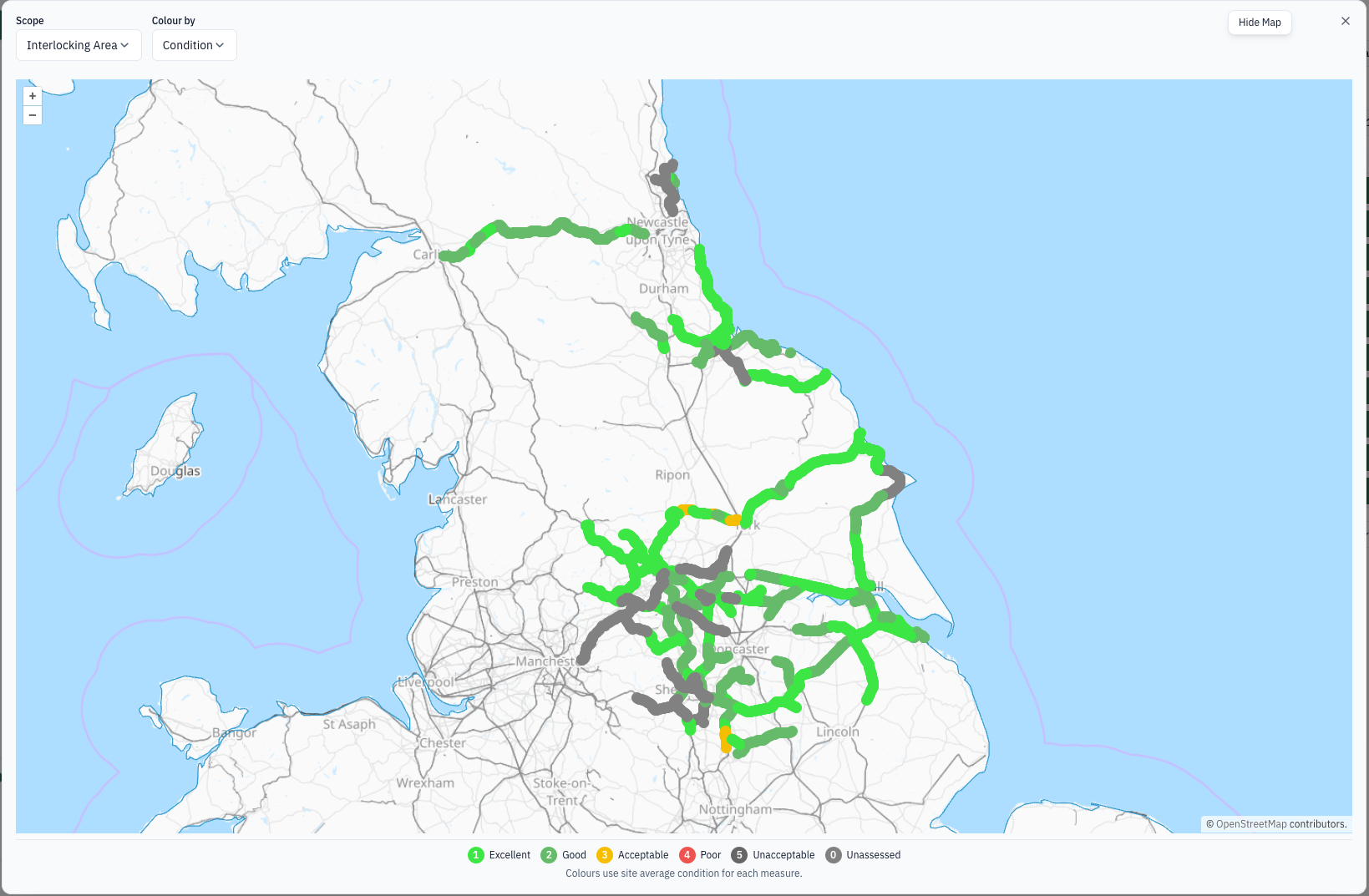
The Map view dialog contains a map overlay and two controls: Scope, which is currently set to Interlocking Area, and Colour by, which is currently set to Condition. The map includes standard zoom controls and OpenStreetMap attribution.
The legend identifies the condition colours: 1 Excellent, 2 Good, 3 Acceptable, 4 Poor, 5 Unacceptable, and 0 Unassessed. Colours use the site average condition for each measure.
How To Change The Data Displayed
Use the Scope and Colour by controls at the top of the dialog to change the map scope and colouring. To change the site records shown, close Map view and update the filters or search options.
How To Leave Map View
Select Close (or the x in the dialog) to return to the Upcoming Assessments list view.