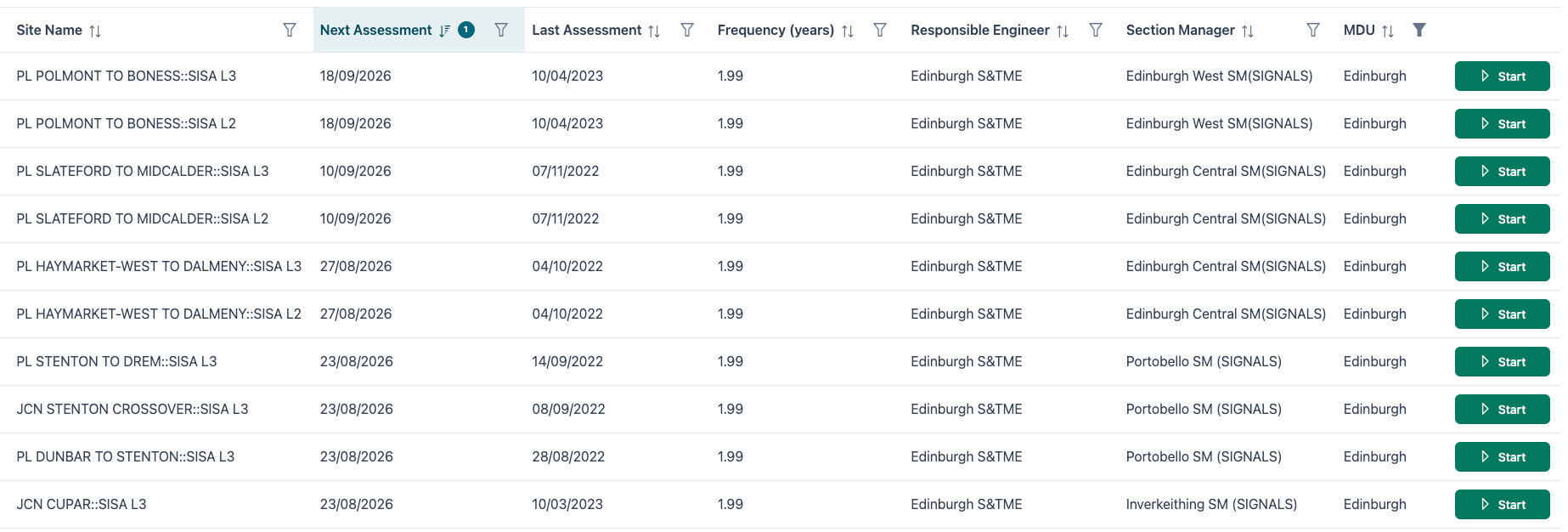
Upcoming Assessments List
Upcoming Assessments List View
The Upcoming Assessments list view is the main list view that is displayed when logging into the SISA application.
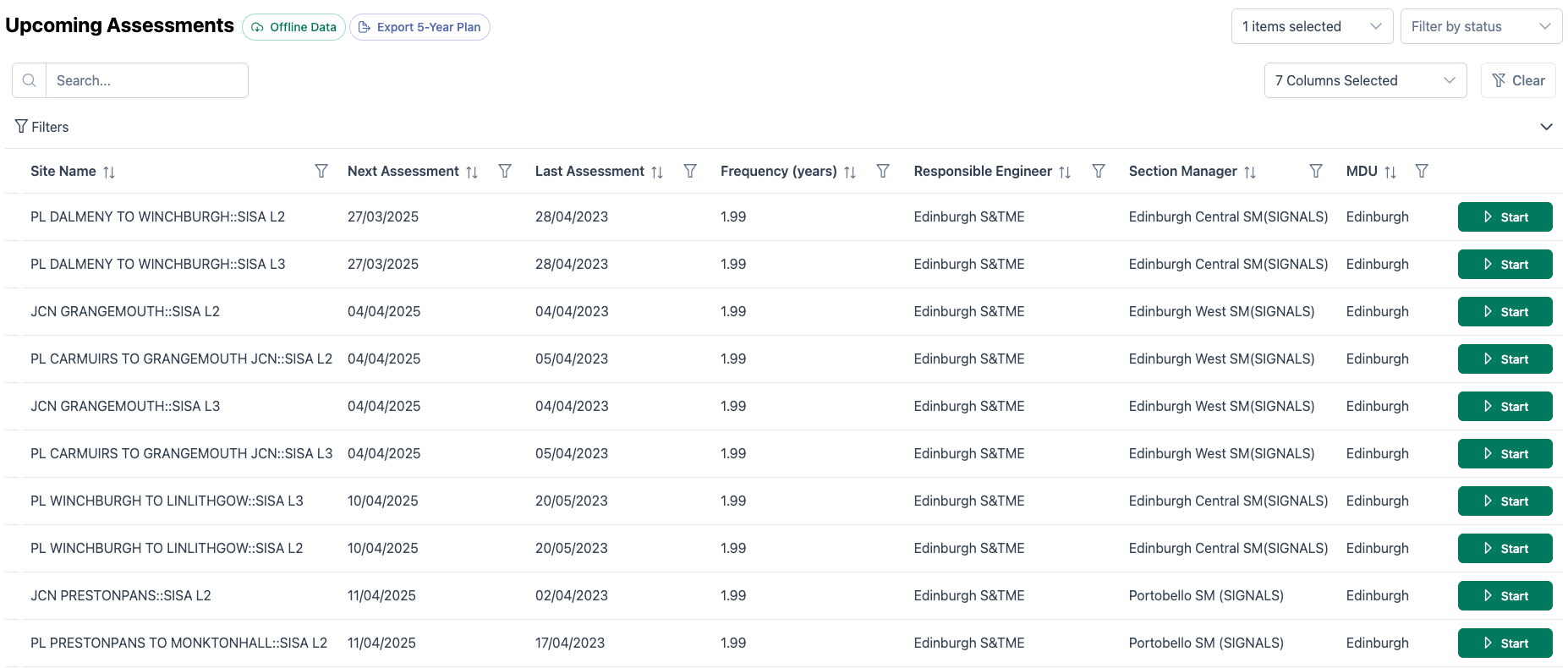
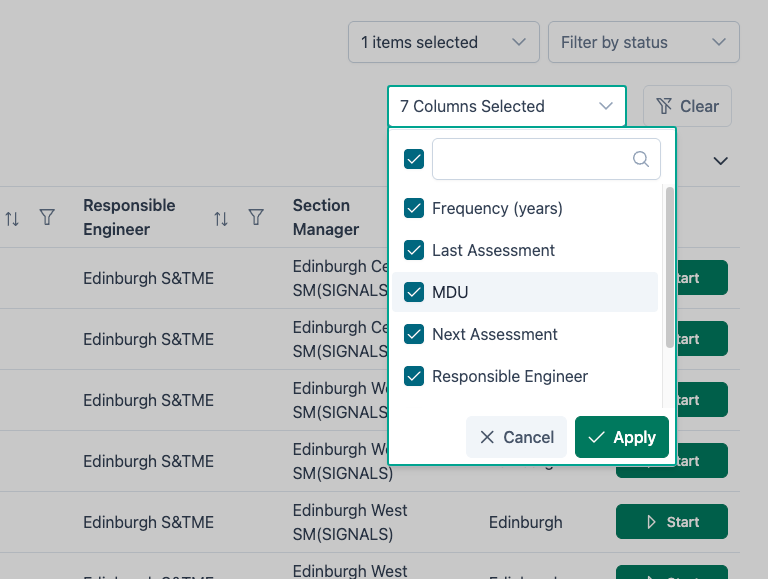
Each site record holds several pieces of information. The data displayed can be hidden or displayed using the Column Selection filter in the menu bar.
If there are more records available, this will be displayed below the record display. Users can move forwards (or backwards) in the pagination bar.
Users can also opt to display more records on each page using the display number selector.
Search
The search bar allows users to narrow down the data view to a specific keyword or phrase.

The entered text will be matched across all available text fields within the data and return results as each character is entered.
To remove the search filter, delete the entered text from the search bar.
Search allows you to quickly find sites by name, delivery unit or control point.
View Filters
In the menu bar, a selection of filters allows users to apply a filter to the site data.
Filter By Status allows users to display only sites that have an assessment In Progress, Awaiting Approval or have Changes Requested.
Further filtering and sorting options are available on each field.
SISA Assessments
Using the upcoming assessments list view, SISA assessments can be planned.
To plan SISA Assessments, sort by Next Assessment.

The list of SISA sites will be updated to show the site with the furthest future assessment date displayed first.